Before the download
| Check | Why |
|---|---|
| About 200 MB free | The installer needs room to unpack |
| Wi-Fi or stable data | A broken download produces a parse error |
| Android version current | Old versions miss libraries the app uses |
| Login details at hand | The app asks for them on first open |
| Install from this source | The phone asks once; the switch is in Settings |
Two different Android messages appear at this stage, and they need different responses. The first is the permission prompt, which says the source is blocked from installing apps; that is the Install unknown apps switch for the browser or Files, and allowing it for that one app lets the install proceed. The second is a Play Protect warning, which is Google's scan of the file itself and is not fixed by any switch: read the exact text, and if the text says harmful, stop, do not continue the install, delete the file and ask live chat before any new attempt. Coming from the TK999 site makes a file the right file; it does not make a flagged file safe. Turn the permission off again afterwards if you prefer.

Download, install and log in
Download
Open the TK999 site in the phone's browser and tap App Download, then Android. The file goes to the Downloads folder and a notification announces the finish. Do not open a half-downloaded file. If nothing appears after a few minutes, check storage and the connection and start again from App Download. A size far below the one the site shows only points to an incomplete download; it says nothing about the safety of the file. Mobile data works for the download as well as Wi-Fi, and the reason to prefer Wi-Fi is that a connection drop halfway through produces a file that looks complete, opens, and then fails at install with a parse error that sends people looking for the wrong fix.
Install
Open the file from the notification or from Files. If the phone reports that installs from this source are blocked, tap Settings on the prompt, allow it for that app and return to the file. If a Play Protect warning appears instead, read it in full before deciding anything, since that message is about the file, not about the permission. Read the installer's permission list and tap Install; the list is short and each item maps to a function such as storage for game files or network for the connection. The app icon appears on the home screen when the installer finishes. Delete the file from Downloads afterwards to free the space.
First login
Open the app and sign in with the same number and password as on the website. A new device asks for an OTP sent to the registered number. The balance, bonuses, VIP level and bound wallet are exactly as on the website, because the account lives on the server and the app is a window onto it. Do not register a new account. A duplicate account loses its promotions, and so does the first, and verification closes it. Language switches between Bangla and English inside the app. Fingerprint or face unlock can be enabled inside the app on phones that support it, which saves typing the password on every open and keeps the session out of reach of anyone who borrows the phone. Log out on a shared device.
Using the app
The app bonus
The BDT 18 credit follows three steps in order: the app is installed, the login through it runs on a verified number, and an opening deposit of BDT 100 or more has arrived. One person can take it once, a duplicate account cancels it, and the wagering is five times deposit and bonus combined, BDT 590 in bets after the smallest qualifying payment, per the TK999 announcement. An account that already made its first deposit on the website is not a new user for this card. The deposit goes through the same cashier as the website, wallets from BDT 100. Read the welcome bonus page before that first deposit, because BDT 200 or more with the welcome card applied collects the 50% match and the lucky draw at the same time.
Inside the app
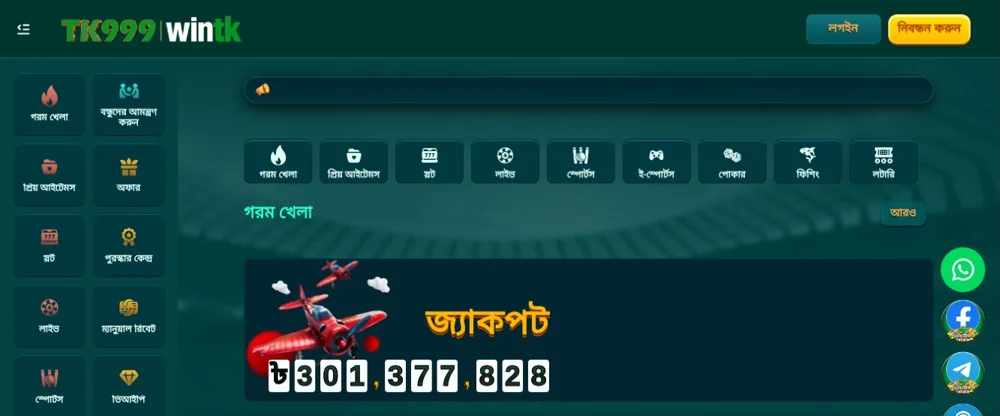
The lobby matches the website, with the same seven categories from Slots to Lottery, Hot Games on the home screen and the cashier, Promotions, Reward Centre and Personal Center in the account menu. Live chat opens from the same menu. Updates announce themselves on open and install over the existing version. Notifications for promotions can be switched off in the phone's settings without affecting the app.
iPhone users
The Android file does not run on iOS. iPhone owners pin the Lite-App to the home screen through Add to Home Screen in Safari or in a current Chrome, and the download guide covers those four taps. The mobile browser works on both devices with the same login. One account covers every device. The BDT 18 is available to new users on either app, Android or iOS, on the same conditions.
Errors and fixes
| Error | Cause | Fix |
|---|---|---|
| Not allowed to install unknown apps | Install unknown apps is off for the browser or Files | Allow it for that app, retry |
| Play Protect warning | Google's scan flagged the file | Read the exact text; if it says harmful, do not install, delete the file, ask live chat |
| Parse error | Incomplete or corrupted download | Delete the file, download again over Wi-Fi |
| App not installed | Storage full or old version conflict | Free space, uninstall the old version, retry |
| Crash on open | OS too old or corrupted install | Update Android, reinstall |
| Login failed | Wrong password or number | Use Forgot Password; check the country code |
An installation error says nothing about the account, which sits on the server and is reachable through the browser meanwhile. Identify the stage that failed, apply the fix in the table, and if it persists send the device model, the Android version, the error text and a screenshot to live chat. The unknown-apps permission and a broken download are both fixed without help, which is why the table comes before the chat. Screenshots of the exact prompt speed the chat up when it is needed.
Pros and cons of the Android app
Pros
- Stays logged in behind the screen lock, with fingerprint or face unlock on supported phones.
- Same lobby, cashier and Promotions as the website, on one account.
- BDT 18 for new users after the opening deposit.
- Updates install over the existing version without a fresh download from the site.
Cons
- Not listed in Google Play; the file comes only from App Download on the TK999 site.
- The Install unknown apps permission and a possible Play Protect warning add steps on first install.
- Tens of megabytes to download, and a broken download ends in a parse error.
- Android only; iPhone users get a home-screen web app instead.

Frequently asked questions
Where should I get the TK999 installation file?
Only from App Download on the TK999 site. Files from other sites and from group chats are not checked by anyone and sometimes carry malware. A matching size is not a security check, and a renamed file is not proof of a fake. Delete anything else.
Does an installation error mean my account is closed?
No. The account lives on the server and works in the browser while the app is sorted out. Installation errors are about the phone, the file or the storage. Fix the stage that failed and log in again.
Can I use this file on an iPhone?
No. Android files do not run on iOS. Use the Lite-App pinned from the browser's share sheet, or the mobile browser itself, both on the same login. The Lite-App needs no download at all.
How do I update the TK999 app?
Open it. A new version announces itself on launch and installs over the one on the phone, with the login and settings kept. If the prompt does not appear for a long time, download the current file from App Download on the site and install it over the old one without uninstalling first. Never install an update sent as a file in a chat. A matching size proves nothing about the source of a file.
Where is the Android APK obtained?
Open the operator's App Download menu and choose Android APP.